

How to Make Money on Pinterest Without Investment

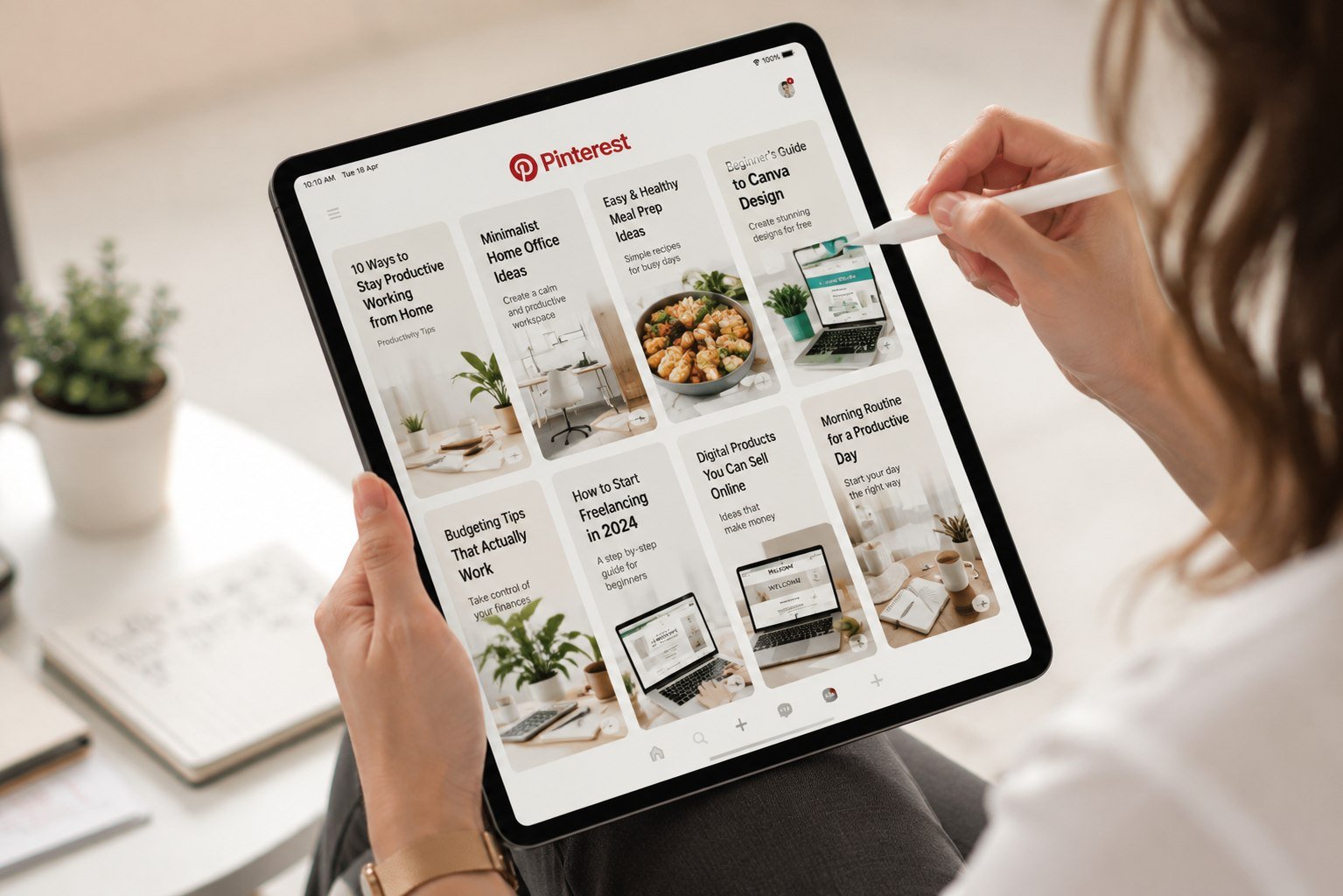
I’ll be honest, Pinterest was not on my radar for a long time.
I thought it was a platform for wedding mood boards and kitchen renovation inspiration. The kind of place where people save recipes they’ll never cook and home décor they can’t afford. Useful, maybe. But a source of income? That seemed like a stretch.
Then I started noticing something. My blog traffic had a quiet but consistent stream coming from Pinterest every single month from pins I had created more than a year earlier and never touched again. Old content, still sending visitors. Still generating affiliate clicks. Still earning small but real commissions.
That’s when I actually paid attention.
Pinterest is not like Instagram or TikTok, where content has a lifespan of 48 hours before the algorithm buries it. A well-made pin can drive traffic and earn you money for months, sometimes years, after you create it. That’s a fundamentally different model, and for beginners with no budget, it’s genuinely one of the most accessible ways to start earning online.
This guide covers exactly how it works and how to start without spending a single rupee or dollar upfront.
What Pinterest Actually Is Beyond the Recipes
Most people use Pinterest as a visual search engine, not a social media platform. That distinction matters a lot.
When someone opens Pinterest, they’re usually searching for something specific: “minimalist home office ideas,” “budget meal prep for students,” “easy Canva logo design tutorial.” They have intent. They’re looking for something. And unlike Google, which is dominated by established websites, Pinterest gives new creators a genuine chance to appear in search results early on.
You create “pins,” vertical image posts with a title, description, and a link. When someone searches a topic, your pin can appear in their feed. They click it, go to your website or affiliate link, and if they take action read an article, buy a product, sign up for a service you earn.
No followers required to start seeing results. No viral moment needed. Just good pins on the right topics, consistent over time.
How Pinterest Makes You Money: The Three Main Models
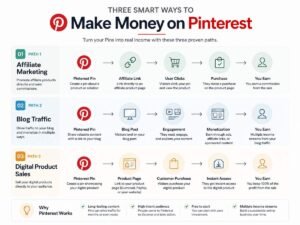
Model 1: Affiliate Marketing Through Pinterest
This is the most direct way to earn on Pinterest without a website.
You pin an image that links directly to an affiliate product. When someone clicks your pin, lands on the product page, and buys, you earn a commission. Amazon Associates, ShareASale, and Impact all allow direct Pinterest linking.
One important note: Pinterest requires you to disclose affiliate links. Add “#ad” or “#affiliate” to your pin description. This is both a platform rule and a legal requirement. It doesn’t hurt your performance; most users scroll past disclosures without thinking twice.
Model 2: Driving Traffic to a Blog That Earns
This is the model I use most and the one with the highest long-term earning potential.
You create pins that link to your blog articles. Those articles contain affiliate links, AdSense ads, or digital product offers. Pinterest becomes your traffic engine free, consistent, and largely hands-off once pins are live.
This model requires a blog, which is worth building anyway if you’re serious about online earning. But even a simple free WordPress.com blog or a Blogspot site can serve as the destination for your Pinterest traffic in the early stages.
Model 3: Selling Digital Products Directly
If you have a digital product, a Canva template, an eBook, a planner, a printable, Pinterest is one of the best free platforms to market it.
Platforms like Gumroad and Payhip let you create a free product page. You make a beautiful pin showing the product, link it to your Gumroad page, and anyone who buys pays you directly. No middleman taking a large cut. No upfront cost.
This works especially well for visual products anything that photographs well or can be shown in a clean mockup image.
Step-by-Step: How to Start Making Money on Pinterest as a Beginner
Step 1 — Create a Pinterest Business Account
A personal account won’t give you the analytics and features you need. Go to pinterest.com/business/create and sign up for a free business account. If you already have a personal account, you can convert it.
Fill in every field: your profile name, bio, website (if you have one), and a clear profile photo or logo. Your bio should describe what your account is about in plain language. “Helping beginners earn online through smart digital strategies” is specific. “Lifestyle and tips” tells nobody anything.
Claim your website if you have one. Pinterest gives claimed websites a small priority boost in their algorithm.
Step 2 — Choose a Niche and Stay in It
Scattered Pinterest accounts pinning recipes one day, travel photos the next, and finance tips the day after confuse both the algorithm and potential followers.
Pinterest’s recommendation system works by categorising your account. The more consistently you pin within one niche, the more clearly Pinterest understands who to show your content to.
Good beginner niches for earning on Pinterest include personal finance and budgeting, online earning and freelancing, productivity and organisation, digital tools and Canva tutorials, home office and remote work, and food and nutrition. All of these have high search volume and strong affiliate or ad monetisation potential.
Pick the one that overlaps most with what you genuinely know or care about. You’ll be creating content in this space consistently; caring about it helps.
Step 3 — Create Pins Using Canva (Free)
You don’t need design experience or paid tools. Canva’s free version is genuinely excellent for Pinterest content.
Pinterest’s ideal pin size is 1000 × 1500 pixels, a 2:3 vertical ratio. Canva has Pinterest pin templates built in. Start there.
What makes a pin perform well:
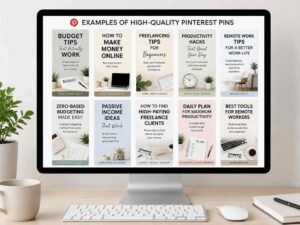
A clear, readable headline. The text on your pin should be large enough to read on a phone screen without zooming. Use contrast: dark text on a light background, or light text on a dark background. Never use the same colour as the background.
A compelling reason to click. Your headline should hint at the value without giving everything away. “5 things I stopped buying to save Rs. 10,000 a month” performs better than “saving money tips.”
A clean, uncluttered design. One focal point. One clear message. Pinterest users scroll fast. A cluttered pin gets scrolled past. A clean pin gets clicked.
Consistent colours and fonts. Use the same two or three colours and the same fonts across all your pins. Over time, people recognise your pins before they even read them, and that recognition builds trust.
Step 4 — Write Pin Descriptions That Work as Search Content
The description under your pin is searchable. Treat it like a mini-SEO exercise.
Write two to four sentences describing what the pin is about and what the reader will get from clicking it. Include the keywords someone would type to find this content. Don’t keyword-stuff; write naturally, but be specific.
Bad description: “Great tips for saving money! Check this out!” Good description: “If you’ve been struggling to save money as a student or young professional, these five practical habits helped me cut my monthly expenses by a third without feeling deprived. Click to read the full breakdown.”
The good description tells the reader exactly what they’ll get, uses natural language that matches how people search, and gives a reason to click.
Step 5 — Create Boards That Match What People Search
Your boards are like folders that organise your pins. Each board should have a clear, searchable name not clever or vague, but descriptive.
“Money Tips” → weak board name. “Budgeting Tips for Beginners” → strong board name.
Create five to ten boards in your niche before you start pinning heavily. Write a description for each board using natural keywords. This board-level SEO helps Pinterest understand your account’s focus and recommend your pins to the right audience.
Step 6 — Pin Consistently, Not Massively
Pinning 50 pins in one day and then disappearing for two weeks hurts your account more than it helps.
Pinterest rewards consistency over volume. Five to ten pins per day, every day, is better than 100 pins in a weekend. Use a scheduling tool like Tailwind (has a free trial) or Pinterest’s built-in scheduler to spread your pins throughout the day, including evenings and weekends when engagement is highest.
As you grow, repinning your own older content is perfectly fine. Bring old pins back into circulation. If a pin performed well three months ago, reshare it. It’s new to everyone who hasn’t seen it yet.
Step 7 — Add Your Affiliate Links or Blog Links to Every Relevant Pin
Every pin should have a destination. Don’t create beautiful pins that go nowhere.
For affiliate marketing: paste your affiliate link directly into the pin’s URL field. Add a disclosure in the description.
For blog traffic: link to the specific article, not your homepage. Someone clicking a pin about “how to start freelancing” should land on your freelancing article, not your homepage where they have to find it themselves. That extra step loses 60–70% of visitors.
For digital products: link directly to your Gumroad, Payhip, or Etsy product page.
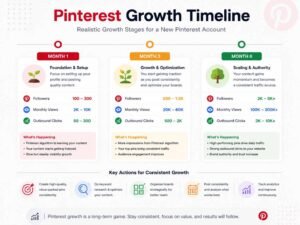
Real-World Example: What Slow-and-Steady Growth Looks Like
Someone starts a Pinterest account focused on productivity for remote workers. Week one: they create 15 pins linking to three blog articles about home office setups, time management apps, and Notion templates. They pin five per day.
Month one: 800 monthly views, 12 link clicks, Rs. 0 earned. Discouraging, but normal.
Month three: 8,000 monthly views, 140 link clicks, two affiliate sales. First Rs. 600 earned.
Month six: 35,000 monthly views, consistent daily clicks, one digital product (a Notion template) selling 3–5 copies a week. Rs. 4,000–6,000 per month from that template alone.
None of this is hypothetical exaggeration; it matches the actual growth curve of dozens of small Pinterest accounts I’ve observed in the personal finance and productivity niche. Slow for three months, then noticeably accelerating.
The accounts that fail are the ones that quit at month two.
Common Mistakes Beginners Make on Pinterest
Using horizontal images. Pinterest is built for vertical images. A horizontal image takes up less space in the feed, gets less visibility, and looks like the creator doesn’t understand the platform. Always use a 2:3 vertical ratio (1000 × 1500px).
Pinning without a destination. A pin with no link is a dead end. Every pin needs somewhere to go: a blog post, an affiliate link, or a product page.
Copying competitor pins too closely. Study what performs well in your niche, but create your own original designs. Pinterest can detect and demote near-duplicate pins. More importantly, your unique design style is what gets your account recognised over time.
Treating Pinterest like Instagram. Pinterest is a search engine. Instagram is a social platform. Posting on Pinterest without thinking about searchability is like building a website without SEO. You might get lucky, but you’re mostly invisible.
Giving up before the algorithm has had time to understand your account. Pinterest takes two to three months to fully categorise a new account. During that time, results are slow and unpredictable. This is normal. The accounts that succeed are the ones still pinning in month four.
Ignoring seasonal content. Pinterest users search ahead of time; Christmas content peaks in October, back-to-school content peaks in July. Creating seasonal content two to three months before the event gives it time to rank before the peak search period.
Tips That Give You an Edge
Design pins in batches. Sit down once a week, create 30–35 pins in one session, and schedule them out using Pinterest’s scheduler. This takes two to three hours once a week instead of a daily time commitment.
Study Pinterest Trends. Pinterest has a free Trends tool at trends.pinterest.com; it shows what topics are growing in search volume. Creating pins around rising trends before they peak is one of the fastest ways to get visibility as a new account.
Test different headlines for the same article. Create three different pins linking to the same blog post, each with a different headline angle. One might perform dramatically better than the others. After two weeks, retire the weaker ones and create variations of the strongest.
Use text overlay on every pin. Plain image pins without any text overlay get far lower click-through rates than pins with a clear headline text on the image itself. Every pin should have readable text on the image, not just in the description.
Your profile bio should include a keyword. “Helping beginners earn online through blogging and affiliate marketing” is searchable. Pinterest search also indexes profile bios, not just pin descriptions and board titles.
FAQs
Do I need a website to make money on Pinterest? Not for affiliate marketing; you can link pins directly to affiliate products without a website. However, having even a basic blog significantly increases your earning options (AdSense, digital products, multiple affiliate programmes) and makes your Pinterest strategy more sustainable long-term.
How long does it take to earn from Pinterest? Realistically, three to six months before meaningful income appears, depending on your niche, consistency, and the quality of your destination content. Pinterest is a slow-burn strategy. It’s not fast, but it’s durable.
Is Pinterest free to use for business? Yes, completely. A Pinterest business account is free. Canva’s free version is sufficient to create professional pins. Scheduling through Pinterest’s own scheduler is free. You can build the entire strategy without spending anything.
Can I do this from Pakistan? Yes. Pinterest is accessible from Pakistan, Canva is free globally, and affiliate programmes like Amazon Associates and ShareASale accept international applicants. The main consideration is the payment method for affiliate earnings. Payoneer works well for Pakistani affiliates receiving international commissions.
How many pins should I create per day? For a new account, five to ten pins per day is a sustainable and effective starting point. Quality matters more than volume: five well-designed, properly described pins outperform twenty rushed ones.
The Honest Reality of Pinterest Income
Pinterest income is not instant, and it is not dramatic. What it is, and this is genuinely valuable, is durable.
A pin you create this week can still be sending you traffic and affiliate commissions in 2027. That’s not true of a tweet or an Instagram story. The work compounds in a way that most social media platforms don’t allow.
If you’re willing to be consistent for six months without expecting a dramatic result in the first two, Pinterest is one of the most beginner-friendly paths to online income that exists. No paid ads. No investment. No audience required to start.
Just good pins, the right links, and enough patience to let the platform work.
Disclaimer: This article is for educational and informational purposes only. Results from Pinterest monetisation vary based on niche, consistency, content quality, and individual effort. Nothing here constitutes a guarantee of income or financial advice.